Every PDF template automatically gets a hosted, mobile-friendly web form. Share a link or embed it on your site. Submissions are validated and the filled-out PDF is generated instantly.
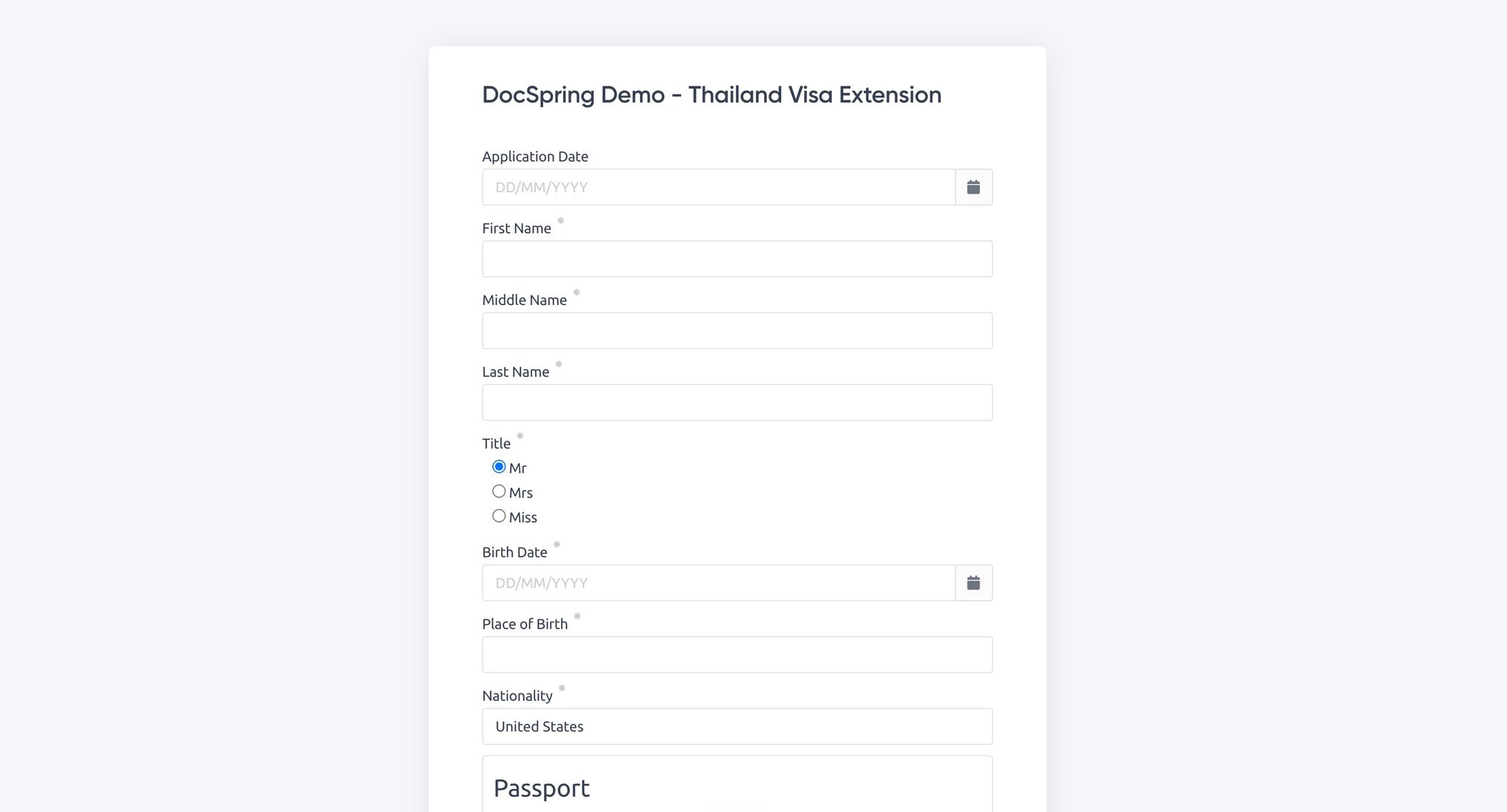
Prefill fields, customize buttons and labels, and handle submission events in your own code.
// Add the DocSpring embed script to your page (see the docs for the script
// tag), then render a hosted form for any template:
DocSpring.createSimpleForm('#pdf-form', 'tpl_YOUR_TEMPLATE_ID', {
  defaultData: { first_name: 'John', last_name: 'Smith' },
  onSubmit: function (submission) {
    console.log('Generating PDF for submission: ' + submission.id)
  },
})

Every template gets an automatically generated web form. Send someone the link and collect a filled-out PDF, with no integration required.

Render any form inside your own pages with one JavaScript call. Prefill known data so people only fill in what is missing.

Signature collection is a separate DocSpring feature called Data Requests. Data Requests are embeddable forms that collect data and legally binding e-signatures with an audit trail.

After submission the PDF is generated and validated against your template schema. You can receive a webhook, redirect the user, or fetch the document from the API.
Every PDF template automatically gets a hosted, mobile-friendly web form. Share the link or embed the form on your own site. When someone submits it, DocSpring validates the data and generates the filled-out PDF.
Not directly. Hosted web forms turn form submissions into filled-out PDFs. If you need to collect legally binding e-signatures, DocSpring has a separate feature called Data Requests, which provides embeddable forms with signature collection and an audit trail.
Yes. Add the DocSpring embed script and render any template's form inside your page with one JavaScript call. You can prefill fields, customize buttons and labels, and handle submission events in your own code.
The submission is validated against your template's JSON schema, the PDF is generated, and you can receive a webhook, redirect the user, or fetch the document from the API.
Sign up for a free trial and try out DocSpring with your own PDFs.