Design PDF templates with HTML, CSS, and Liquid, then generate pixel-perfect documents from JSON data. Rendered with a headless Chrome pipeline, so your PDFs look exactly like your markup.
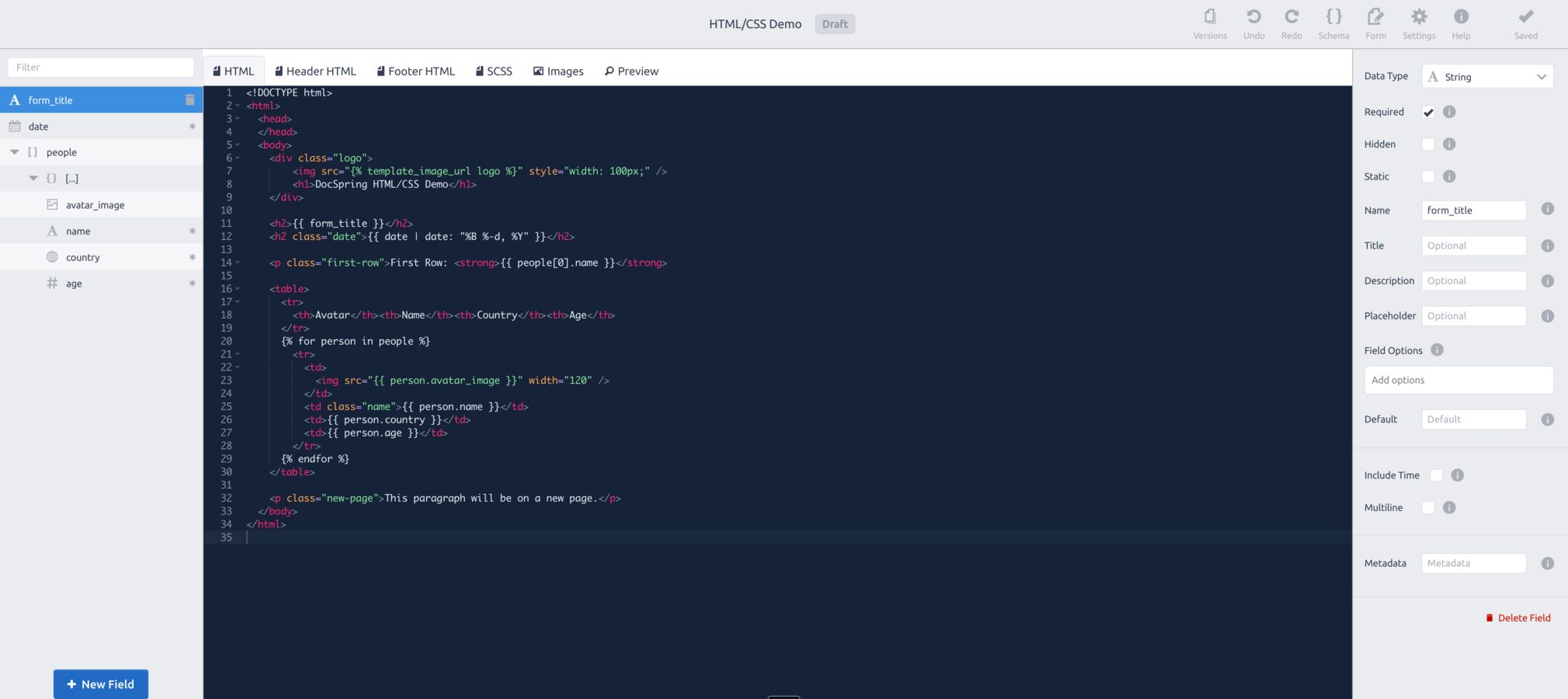
Templates support the Liquid templating language (variables, loops, and conditions) so you can design any invoice, report, or statement.
<h1>Invoice #{{ invoice_number }}</h1>
<table>
  {% for item in line_items %}
    <tr>
      <td>{{ item.description }}</td>
      <td>{{ item.amount | money }}</td>
    </tr>
  {% endfor %}
  <tr>
    <td><strong>Total</strong></td>
    <td><strong>{{ total | money }}</strong></td>
  </tr>
</table>

<style>
  h1 { font-family: Helvetica, sans-serif; color: #1b2432; }
  table { width: 100%; border-collapse: collapse; }
</style>

Headless Chrome renders your templates, so modern CSS, custom fonts, and embedded images all work.

Variables, loops, conditions, and formatting filters. Send JSON data and DocSpring merges it into your template, including line items, totals, and conditional sections.

Standard page sizes, custom width and height, with configurable margins.

HTML templates use the same generate-PDF API and SDKs as every other DocSpring template: POST JSON, download the PDF, or receive a webhook.
Your HTML and CSS are rendered with a headless Chrome pipeline, so the generated PDF looks exactly like the page you designed. Modern CSS, custom fonts, and embedded images all work.
Yes. HTML templates support the Liquid templating language: variables, loops, conditions, and filters. POST JSON data to the API and DocSpring merges it into your template. This is ideal for invoices with line items, reports, and statements.
Yes. Templates support standard page sizes, custom width and height (down to ID-card size), and configurable margins.
You can generate free watermarked test PDFs that never count against your quota, so you can iterate on a template until it is pixel-perfect. The template editor also includes a live preview tab that updates as you edit your template.
Sign up for a free trial and try out DocSpring with your own PDFs.