White-label DocSpring's drag-and-drop template editor inside your own application, so your customers create and update their PDF templates without leaving your product or filing a support ticket.
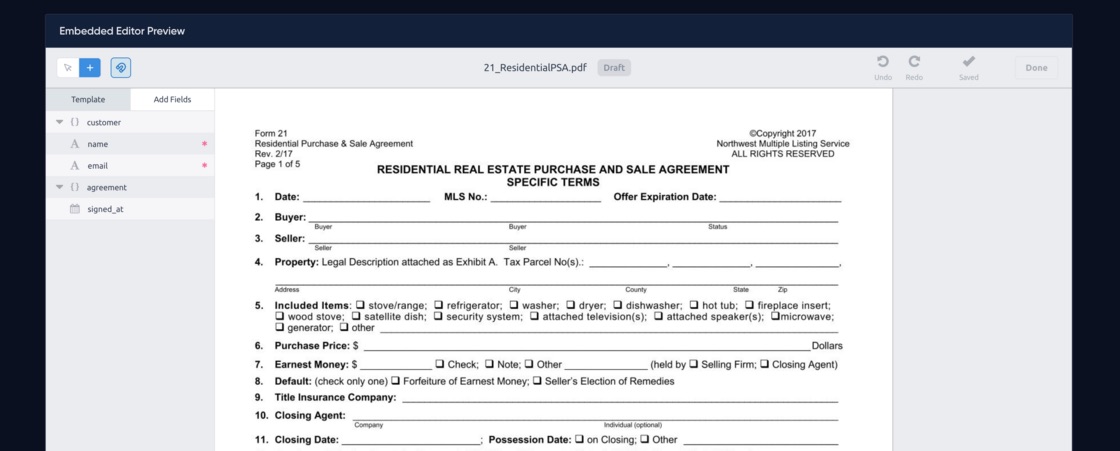
Render the full template editor inline or in a modal, restricted to your domains, with exactly the controls you want your users to have.
// Launch DocSpring's white-label template editor inside your own app:
var editor = DocSpring.createTemplateEditor('#template-editor', {
  templateId: 'tpl_YOUR_TEMPLATE_ID',
  onDone: function (data) {
    console.log('Template saved: ' + data.templateId)
    editor.close()
  },
})

Your users upload PDFs, place fields, set data types and validation, and save template versions. It is the complete DocSpring editor, inside your app.

Lock the editor to your allowed domains and choose which controls are available to embedded users, from the full toolbox down to a simplified field-placement UI.

Template changes stop being support tickets. Customers fix their own layouts and field mappings the moment they need to.

Templates your users design are instantly available to the PDF filling and generation API, so one integration covers design and generation.
Yes. DocSpring's drag-and-drop template editor can be embedded inline or in a modal inside your own product, so your customers can create and update their PDF templates without leaving your app.
Yes. You can restrict the editor to your allowed domains and choose exactly which controls and features are available to your embedded users.
Everything the DocSpring editor supports: drag and drop fields, set field types and validation, and save template versions, all without writing code or contacting your support team.
A PDF template editor is a large product in itself. Embedding DocSpring's editor means your customers self-serve template changes on day one, instead of filing support tickets or waiting on your engineers.
Sign up for a free trial and try out DocSpring with your own PDFs.